Category Archives: Scrapbooking

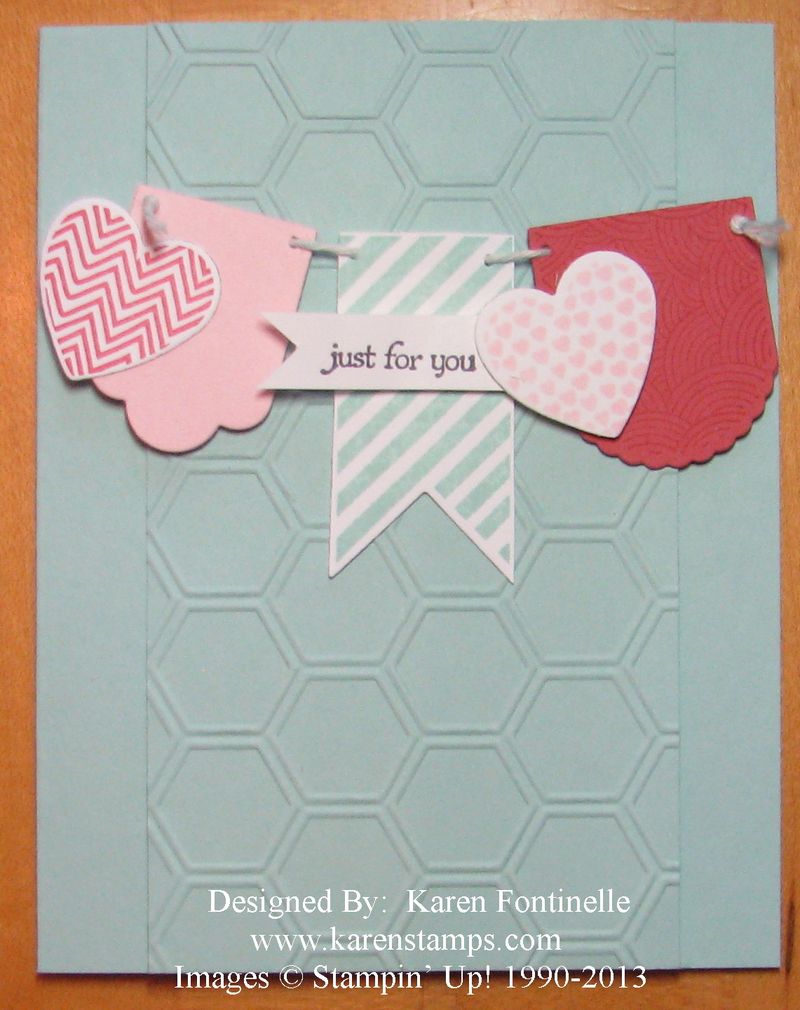
Hearts a Flutter Just for You Card

Hearts a Flutter Just for You Card

I’m trying to do some stamping today with my “new stuff” from the new Stampin’ Up! Spring Catalog that just came out yesterday, so I copied a card that was in our demonstrator magazine, Stampin’ Success. I love the cute little banner made with the Hearts a Flutter stamp set and Hearts a Flutter Framelits Dies.  The center panel of the card is embossed with the Honeycomb Textured Impressions Embossing Folder. These products come in a bundle, the Hearts a Flutter Bundle, which saves you 15%! You might as well get both….I’m sure they will be a big hit!  Remember, hearts aren’t just for Valentine’s Day.  This card could be a valentine, a birthday card, an all-occasion card, even home decor! Be sure to check out the really cute little chalkboard in a frame on page 11 of the Spring Catalog showing a little banner using these stamps and framelits. If you need a Spring Catalog, please email me if you don’t have your own demonstrator. I’d be happy to mail one to you…and the Sale-A-Bration brochure, too!

My stamping supplies are still scattered around in different locations due to Christmas decorating so stamping today is more like a scavenger hunt!  What should I get organized first??!

Use this banner idea on a scrapbook page as well!  Just think of a card as a small scrapbook page!

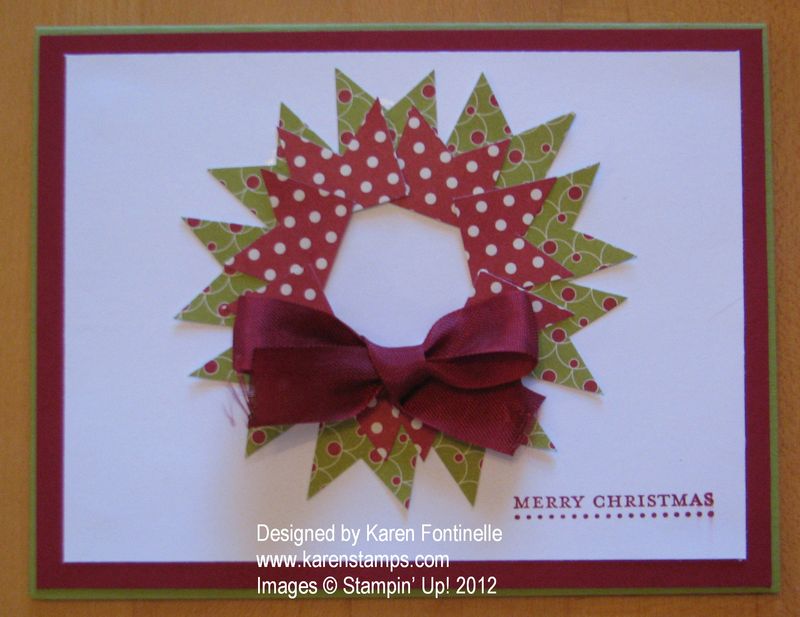
Making a Christmas Wreath Card with Paper Scraps

Wreath Card
I saw this idea in a papercrafting magazine although that one was made with washi tape and I used paper scraps! It just caught my eye! I'm not sure I would make a bunch of these cards, but to make one or a few it would be fun.
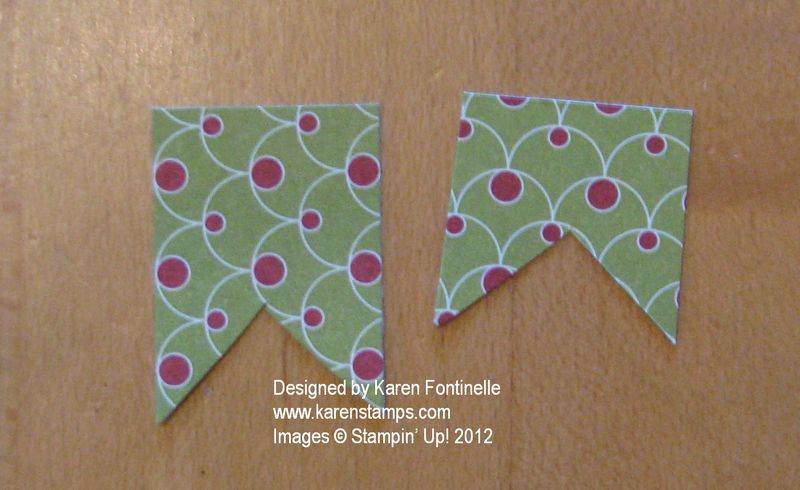
First I cut some strips 3/4" wide from the pack of paper in the Holiday Catalog called Festival of Prints Designer Series Paper Stack.  This is a fun pad of designer papers to have since they all coordinate and are small to use on lots of projects! I made the first ones 1" long and the red polka dot batch 3/4" long for the top layer. I suggest playing around with your wreath pieces until you see how they fit together, how big of a wreath you want, what will fit on your card layer or project. In the end I used 9 of the longer pieces and "scootched" them closer together. The red ones probably the same number.  At first I was going to do the same green print but it didn't show up well enough on top although I might have tried dimensionals.
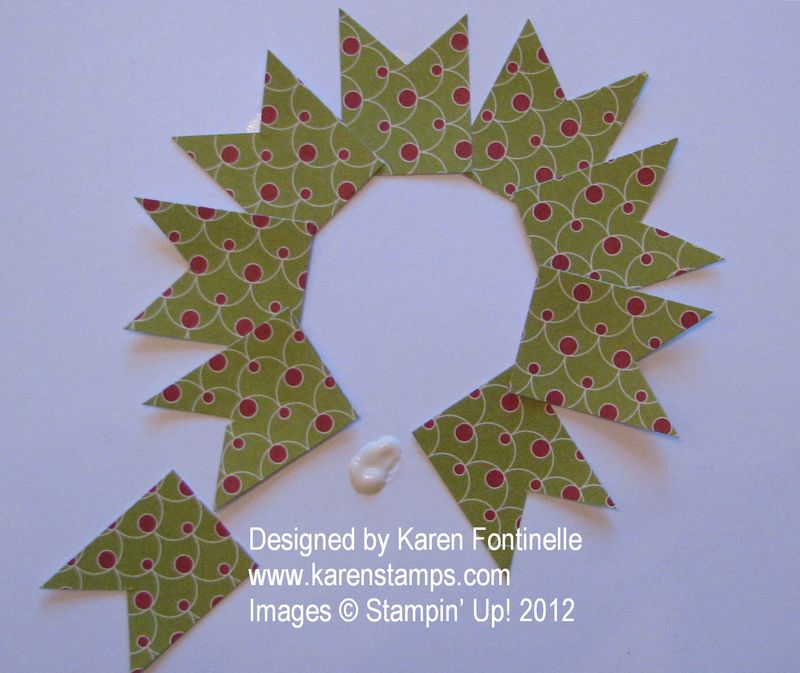
Once I had it all laid out on the card layer, I realized I didn't want to take it all apart to glue it (or even put it on Very Vanilla card stock like I intended to do!) so I left the pieces where they were and just slipped a dot of Multipurpose Glue underneath each piece. That would be enough to hold them and if I wanted, I could ruffle up the tips of the pieces.
Wreath pieces
Wreath glue

I just added a  Cherry Cobbler Seam Binding bow and stamped a greeting from Teeny Tiny Wishes. This would also make a nice embellishment on a scrapbook page, too, if you just made the wreath!
Don't forget the Stampin' Up! Online Extravaganza continues tomorrow, Tuesday and Wednesday….thru Nov. 28th.  Be sure to do a little shopping and get your bargains. You may add any other merchandise on to your order as well, including Clearance Rack and MDS Downloads.

A College Graduation Swatchbook from My Digital Studio

MDS Swatchbook Cover

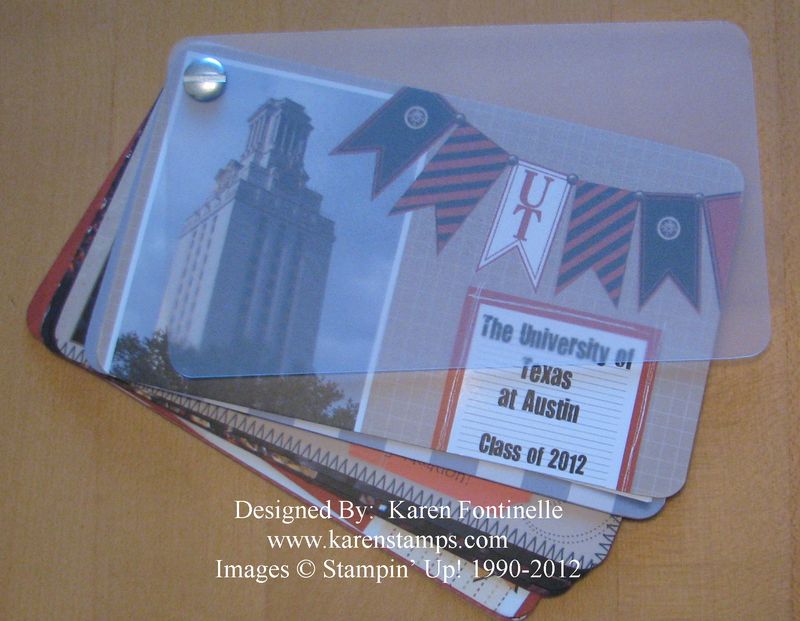
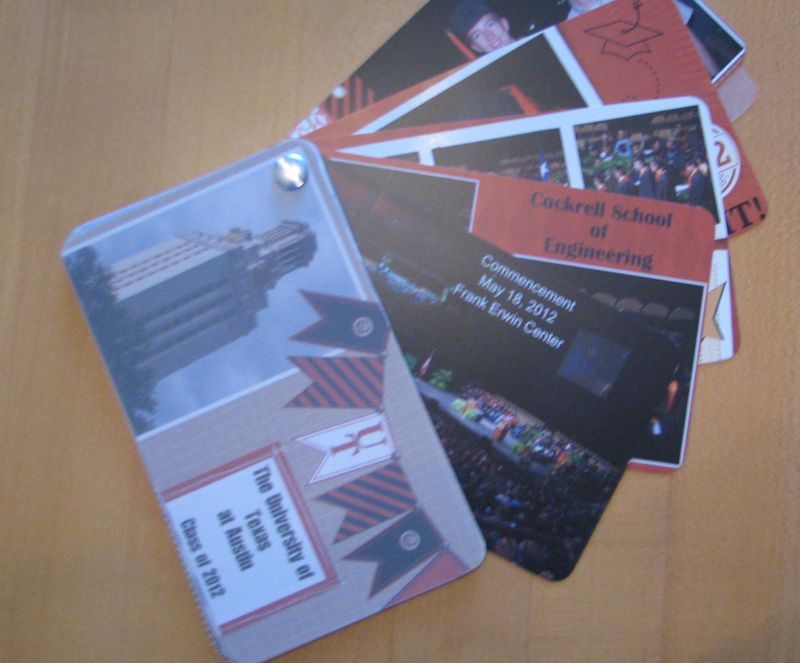
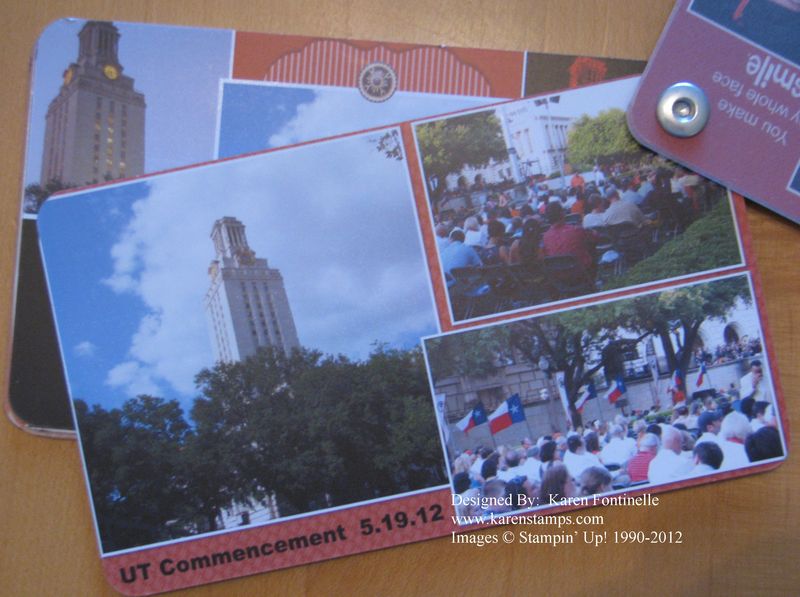
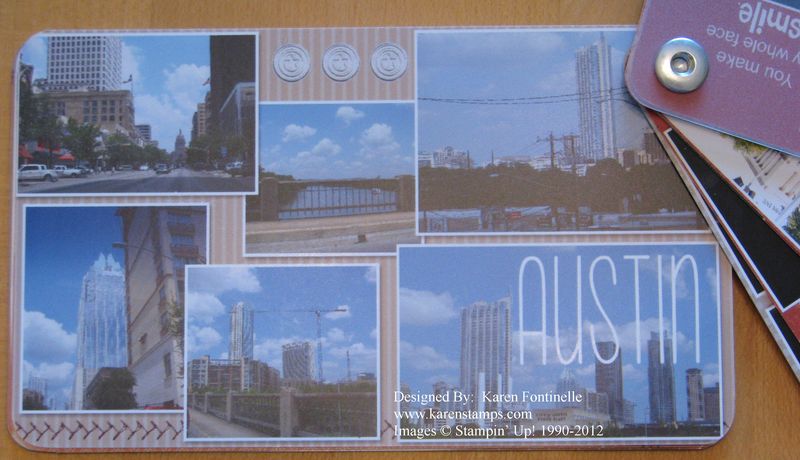
I  may have mentioned before that I was working on a swatchbook in My Digital Studio, the Stampin' Up! digital papercrafting software, of my son's graduation photos. Finally I remembered to take some pictures of the swatchbook all made up! You can see there is a plastic cover on the front and back of the book and the whole thing is held together by the rivet in the corner. It is small….only 5 1/2" x 3 1/4", but that's why it is so cute and fun!  And don't think the small size kept me from squeezing in as many photos as I could! I have a hard time leaving out any photos because I think each one is valuable in its own way!

Graduation Swatchbook

The MDS Swatchbook just swings open. It has 26 pages to design. So I kept my pages in order skipping every other page because those then would be the backsides of the front pages. If that is a hard concept to wrap your head around, as it was for me, make a little swatchbook out of scrap paper and label your pages so you know what you are doing! When you start doing the backsides of the pages then you are working from the end to the front….so page 2 (the last page in your series) is on the back of page 1. It's confusing to explain even though it is very simple! And if you are not putting pages in order, then it doesn't matter anyway!

Graduation Swatchbook

Graduation Swatchbook

And printing prices for My Digital Studio have recently been reduced!  You CAN print any MDS projects yourself or at another printing company, but if you do it through Stampin' Up! you are assured of a quality product and precise Stampin' Up! colors. You can check out information about Stampin' Up! MDS Print Products HERE.

Start with the Swatchbook Template on My Digital Studio and make some cute little swatchbooks for Christmas gifts with those digital photos just sitting on your computer! I recommend purchasing MDS 2+ to get the most bang for your buck! You can get the software and "some" content with just MDS 2 for less money but the full version has SOOOO much content it really can't be beat!  But you do have choices, so whatever works for you….including just doing the Free 30-Day Trial!  No risk, and you can purchase downloads you want, print projects you make…everything….all during the trial period.  If you really want the hard discs, those are coming out soon! I recommend the download, though, so you can get it instantly and always have access to it.

Check out the information on My Digital Studio here.

Perfectly Preserved Stamp Set and My Jar Quilt

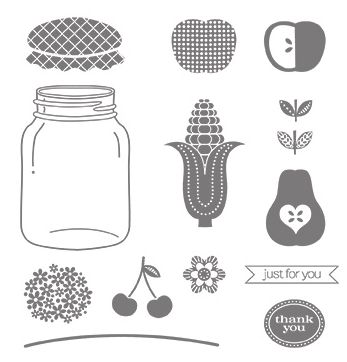
Perfectly Preserved Stamp Set
Images copyright Stampin' Up! 2012

When I first saw the Perfectly Preserved Stamp Set with its jar and some fruits and vegetables for its contents, I couldn't help but think of my jar quilt!

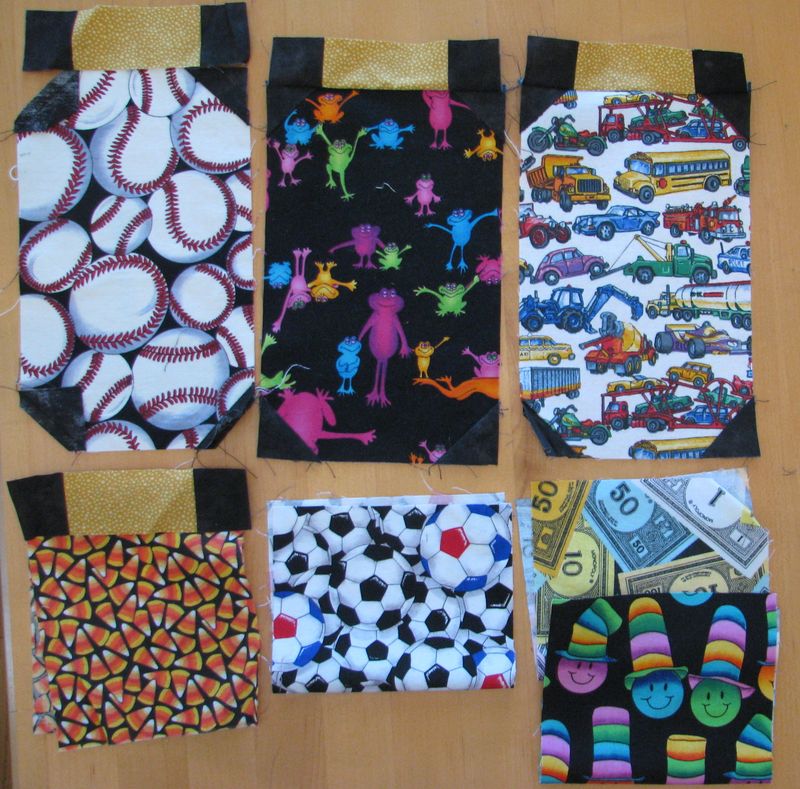
Many years ago I took a quilting class where we were going to make a quilt that would look like jars lined up on a black background filled with different things.  It was five jars across and then 4 jars going down. The jar shape was made out of print fabric that could have bugs or monsters or whatever you wanted "in" your jar and another strip of fabric for the lid of the jar. Little triangle pieces of black fabric would make the shape of the jar.

I'm not an expert seamstress so mine started as a disaster! In my own defense, I think it was the sewing machine that clumped all the thread together. What a mess! Some other lady taking the class tried ripping mine apart so I could start over, even as the teacher was worrying that the lady was using her class time to try to fix my quilt! I actually thought I had some part of mine put together but apparently not!   Like lots of unfinished craft projects, this was found in a drawer barely started!

Jar Quilt Pieces

I don't remember if the sample quilt had "jars" of bugs or not, but I knew I didn't want mine to be all about bugs….so I found fabric pieces of baseballs, monsters, play money, soccer balls, candy corn, vehicles and many other things. I think it would have been cute if only I had finished it! Maybe someday!!  

I think you could use the same idea with the Stampin' Up! Perfectly Preserved Stamp Set, use some other stamps, like sports balls or butterflies or ornaments or whatever to "fill" the jar! It doesn't have to be about food!

You can find the Perfectly Preserved Stamp Set in the Stampin' Up! Holiday Catalog on page 29.  If you are also interested in the matching Cannery Set Framelits Dies, then get the Perfectly Preserved Bundle and save 15%!

Let me know if you need any help in ordering or just go to my Online Store any time! And don't forget, if you spend $40, you can choose a free roll of 3/8" Stitched Satin Ribbon.  Spend $80 and get two rolls!  You'll love that ribbon!

It’s Labor Day…..the End of Summer! Why Not Scrapbook It?!


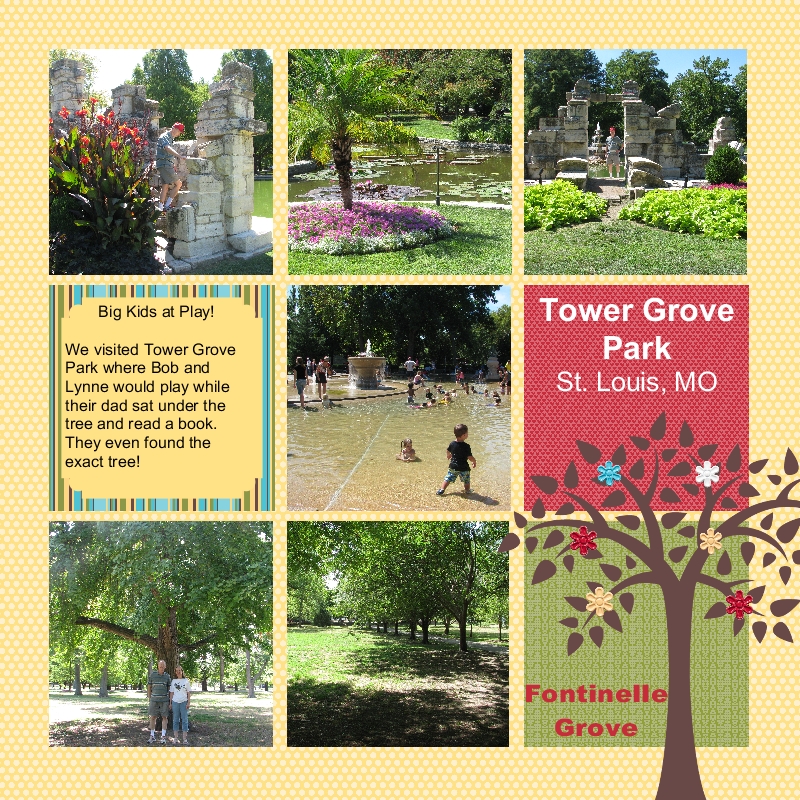
Tower Grove Park 8x8 MDS Scrapbook Page

Images copyright Stampin' Up! 2012

Labor Day weekend seems to mark the end of summer, so why not look back over your summer activities and scrapbook some photos!  My Digital Studio makes it so easy and fun, especially the new My Digital Studio Version 2.

I decided to make an 8×8 scrapbook page with My Digital Studio of my husband and his sister going back to the park where they used to play as children and go on picnics.I started with a template and then changed it how I wanted it. This new Version 2 has so many great new features!  

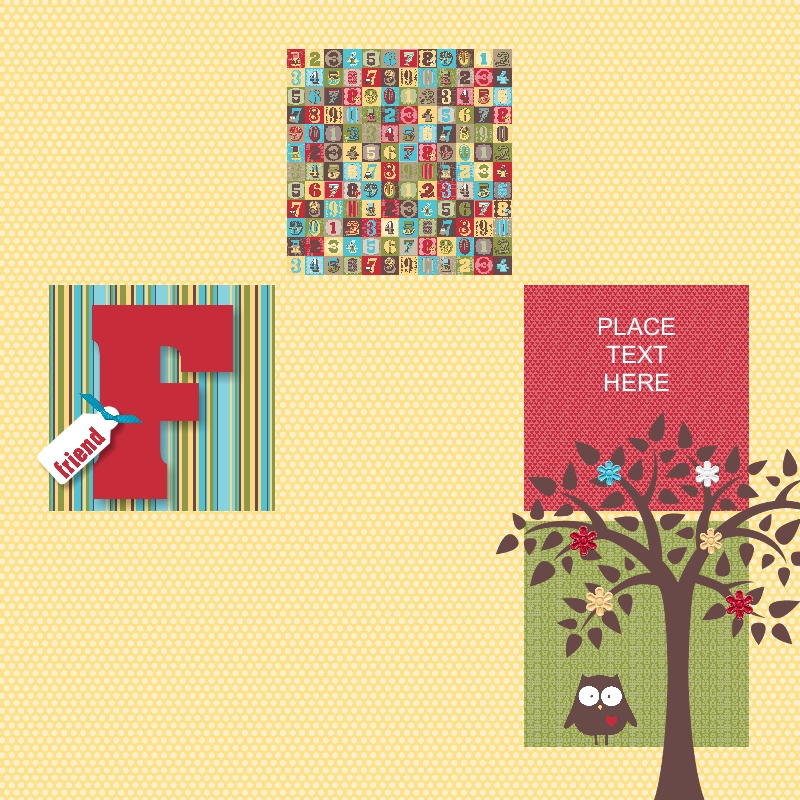
Here is the template I started with:               

                  8x8 Template

You can easily see the few changes I made. So even when you start with a template, if you don't like some part of it (or all of it!) you can change every single thing!  Or you can just insert your photos and you're done!

If you would like to try My Digital Studio version 2 and get some of those summer photos scrapbooked, you can download the free 30-day My Digital Studio trial!

“Hit & Run” Movie My Digital Studio Scrapbook Page

              Hit and Run Movie Digital Scrapbook Page with My Digital Studio

All images copyright Stampin' Up! 2012

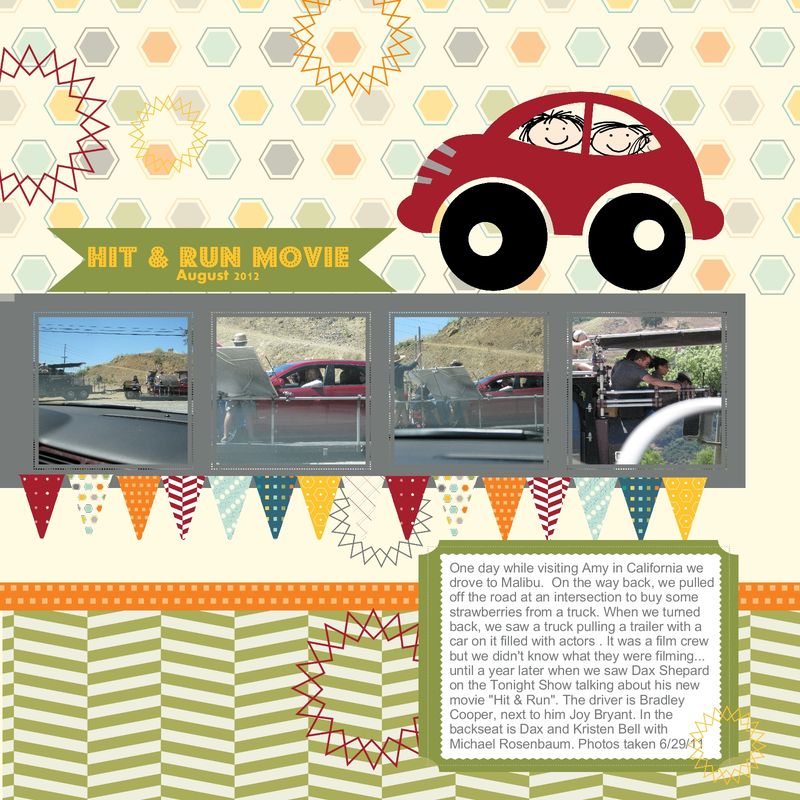
After relating my story in yesterday's post about seeing a portion of the filming of "Hit & Run" movie with Dax Shepard, Kristen Bell, Bradley Cooper and several other stars last summer in California, I made a digital scrapbook page today with my photos with My Digital Studio by Stampin' Up! I simply chose a template that was already in my collection, added the photos, added and COLORED the red car (a new feature of MDS Version 2…oh so fun!!!), and added the text box. I added a few faces in the car windows from the digital stamp set "All in the Family".

It is truly AMAZING what improvements Stampin' Up! has made in this version of My Digital Studio!  The more I play with it, the more I have to encourage you to try it!! Please consider getting the My Digital Studio Free 30-Day Trial and experience it for yourself.  There are plenty of videos online at www.mydigitalstudio.net to teach you how to use it…but the best thing is just to get in there and play!  You CAN do it!!

To get the Free Trial or to purchase My Digital Studio, please go to my Online Store.

Dax Shepard and Kristen Bell Filming Hit & Run Movie: Mystery Solved!

You may have heard that Dax Shepard, Kristen Bell, Bradley Cooper and others are starring in a movie called "Hit & Run". My husband and I saw Dax Shepard on "The Tonight Show with Jay Leno" on Wednesday night and watched the clip they showed from the movie….well, at least my husband was watching, I think I was very tired or distracted…I wasn't paying that much attention! Something kind of clicked with my husband, and I was going to check it out yesterday…but forgot…until he reminded me at dinner….so I checked after dinner….and sure enough…mystery solved!!

First, watch this clip about the movie "Hit & Run" from The Tonight Show. They start talking about the movie at 1:18….although his Costco story is pretty funny first!


Now the rest of the story:

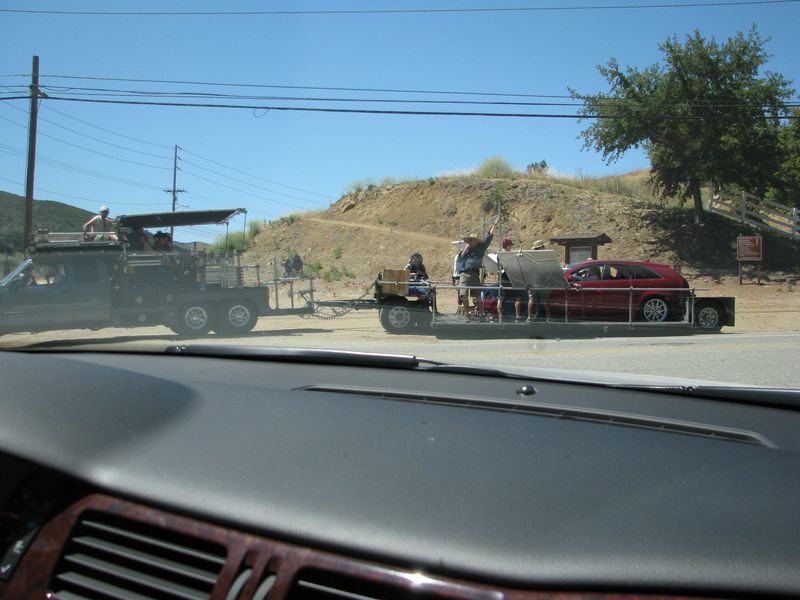
A year ago June we were in California visiting our daughter and made a trip with her to Malibu one day.  On the way back, at an intersection, there was a truck selling strawberries.  There was a big pull-out area so my husband pulled over but we decided to wait for strawberries until we got back to my daughter's neighborhood.  As my husband pulled the car back around, this truck and trailer were pulling into the intersection across from us.  On the trailer was a car with passengers and obviously some filming of some sort was going on….we were near Los Angeles, after all!
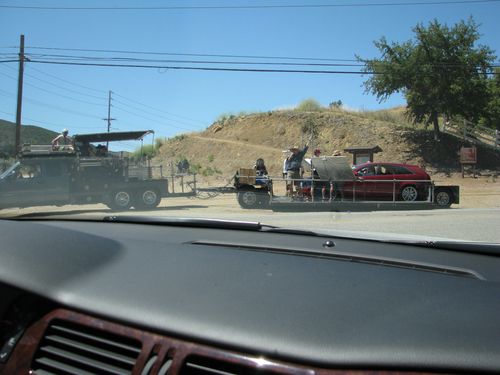
Filming Hit & Run Movie

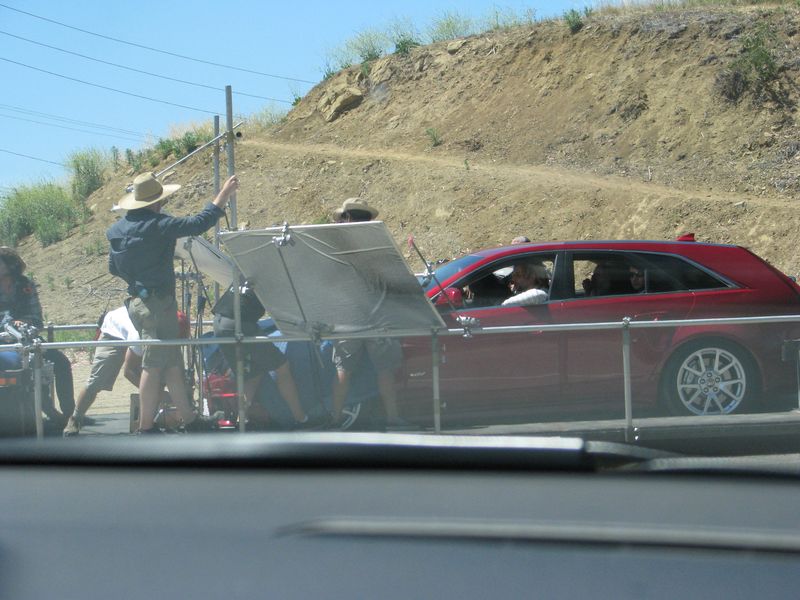
I took some more photos….the people in the car seemed to be looking at us and maybe even waved while they waited for the light to change at the intersection. Not something we usually see in Houston for sure!
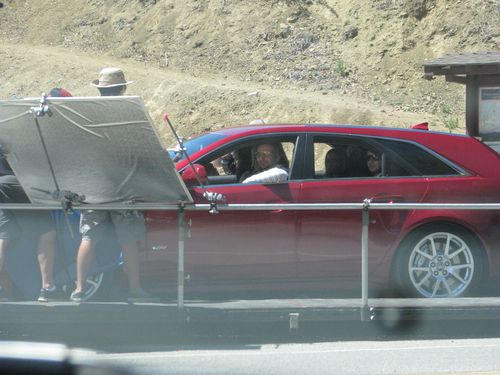
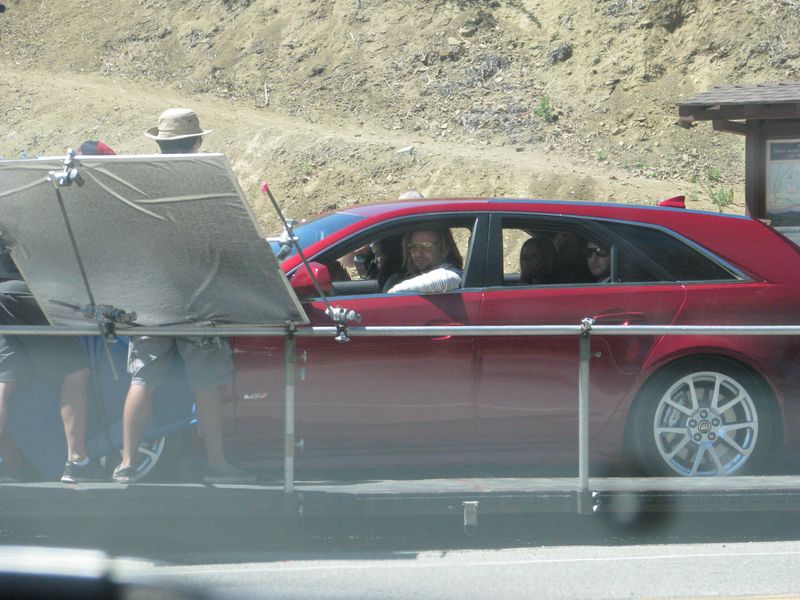
Bradley Cooper filming Hit & Run Movie

That evening we showed our son-in-law, who is quite the TV and movie buff, and he thought the girl in the back seat might be Kristen Bell! Obviously we didn't know what they were filming, couldn't see the actors very well, and figured we would NEVER know what we had just seen….it could have been a movie, a tv show, a commercial, a documentary, anything…and might never make it out into the world….until we saw Dax Shepard on the Tonight Show Wednesday night!
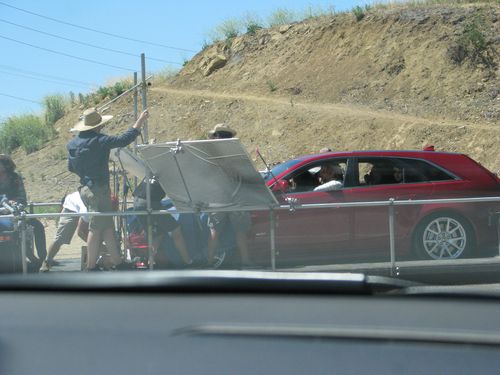
Filming Hit & Run Movie with Dax Shepard and Kristin Bell

If you can enlarge any of the photos and zoom in, you can see it is Bradley Cooper as the character driving the car with the big yellow sunglasses and striped shirt. Next to him in the front seat is Joy Bryant. Kristin Bell is in the middle of the back seat of the car next to Dax Shepard on the far side of the car, and I think Michael Rosebaum is behind the driver.
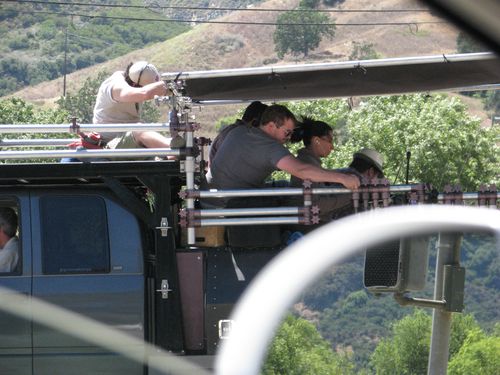
Catching a Glimpse of the filming of Hit & Run Movie

After you look at the photos, go back and look at the clip from the Tonight Show! We think it is SUCH a coincidence that we saw this sight on the road back from Malibu and that it showed up in a clip of the "Hit & Run" movie on the Tonight Show with Jay Leno!

This was so exciting I don't think I can even stamp today! Although….maybe this would be perfect for a scrapbook page made with My Digital Studio, the digital papercrafting software from Stampin' Up!.

 

Last Day for Reason to Smile


Reason to Smile

It's not really the last day to have a reason to smile, just the last day to purchase the Reason to Smile stamp set for only $5 with a $50 purchase! It was fun having a stamp set to buy for only $5!

  • Stampin' Up! has notified us that they are switching the type of liner used in the Snail Adhesive.  It is now tinted blue and thinner that the previous liner so the roll may look like it has less adhesive, but it does have the same amount.
  • Are you on my mailing list??!  Be sure to sign up at the top of the middle column of my blog!  My August newsletter will be coming out next!
  • The Stampin' Up! Holiday Catalog begins tomorrow!!  If you do not have a demonstrator you are working with and would like a Holiday Catalog, please email me. You will certainly LOVE this catalog!
  • The new Version 2 of My Digital Studio is supposed to come out tomorrow! Can't wait!!  If you would like to try first before buying, you will be able to order a free 30-day trial.

Enjoy your last day of July!!  We are one day closer to cooler weather (hopefully!!).

If you want to place a $50 order to get the Reason to Smile Stamp Set for only $5, you can shop until 11:50 MT tonight online!

Stampin’ Up! Reason to Smile Scrapbook Page

Reason to Smile Scrapbook Page

Here is an easy, bare-bones scrapbook page using the Stampin' Up! stamp set "Reason to Smile".  Only today and tomorrow to get it for only $5 with a $50 purchase!  Just do some random stamping with the flowers on Whisper White, mat it, put a little embellishment on the page and add your photos and mats…plus some journaling!  You've got an easy scrapbook page (of any size) that you can lay out and embellish according to your design.  I decided to use some colors I don't use as much and consulted the Stampin' Up! Color Coach….always a good idea….and came up with Rose Red, Regal Rose and Daffodil Delight!

Be sure to check out the Reason to Smile promotion if you like flowers!  Ends July 31st!

Stampin’ Up! Carry On Hostess Set Available Again!

Due to the discovery of legal issues back in June, Stampin' Up! turned off this Hostess Set. But now after review by the legal department, Stampin' Up! is making this Carry On Hostess Set available again! So if you host a workshop with sales of $150 or more or you have your own personal order of $150 or more, you can now consider purchasing this stamp set with your Hostess Dollars! It was a popular set while it was available and promises to be so now that we can all get our hands on it!

Carry On Hostess Stamp Set

Prepare Today for Tomorrow’s Memories

McMenemy

Maybe this is the age when we start getting nostalgic. But then I've always loved looking at old photos. I've been having so much fun on Facebook…not so much the regular part of Facebook, but on the group that someone created of where I grew up. I would NEVER remember all the things that the other people mention, the businesses, the places, the schools, the amusement parks…everything that made up our childhood. And recently someone in my exact neighborhood started posting, who lived up the street from me. I knew I had some old photos of our street and some of the girls attending my birthday party when I was 7 and pictures of the kids in the backyard. Other people have taken more recent photos or dug up some old ones of the area outlying out subdivisions, along the main streets, etc.

My point is….in time, you may wish you remembered what businesses were along the main street you traveled to work everyday or what the houses (not just the front of your house) looked like in your neighborhood, the schools, the movie theaters, the mall, your church, etc. etc. etc. In this photo above of two friends and me in a pile of dirt my dad got for the yard…sure, it's great to see the people, but as a bonus I can see some other houses on the street, how little the bushes are, how old the cars are. Sometimes those details are just as fun as seeing the people in the photos. I'm sure my mom (probably) taking this picture never thought about the rest of the street she was capturing…but now it's a great memory!

McMenemy up the hill

Here's another "off to school" photo, but look, I can see three houses up the hill from me also! Hmm, I don't see any cars in the carports either, although our old Buick is in the corner of the photo. I remember that most people did not have two cars back then, so perhaps the dads already drove the car to work, and the kids rode the school bus. 

Just something to think about!  Take some pictures of what is around you on your street, in your neighborhood, parts of your house that don't usually get photographed….the things we take for granted because we see them everyday. Whether or not you scrapbook them doesn't matter so much, just take those pictures. Those photos might jog some memories in the future and be as valuable as the "normal" memories you think you are capturing!

My Digital Studio Swatchbook for Graduation

Steven UT Graduation 2012

Images copyright Stampin' Up! 2012

One of the many interesting and fun projects you can make with My Digital Studio is called a swatchbook. The swatchbook template is just 5 1/2"x 3 1/4" so it is very cute and has so many uses. It is thirteen actual pages but front and back so you have 26 pages to use.  The upper left corner comes with a rivet to hold it together and there is a plastic cover on the front. You can purchase downloads that have the pages practically all made for you or you can start from scratch on your own.

Here is one example….the Twitterpated Swatchbook Designer Template!

Twitterpated Swatchbook Designer Template - Digital Download

You can go with the template exactly as is or change papers, embellishments, colors to suit your purpose.

Be sure to check out the opportunity to try My Digital Studio Express FREE for 30 days!  And if you purchase My Digital Studio before Version 2 comes out (perhaps soon!) you will get Version 2 FREE.


Stampin’ Up! Exclusive Stamp Set for $5 with Purchase!

  Reason to Smile Image

Would you like to purchase an exclusive Stampin' Up! stamp set for only $5?! You can get this cute stamp set with a $50 purchase! After you order $50 in Stampin' Up! products this month of July, you can add the Reason to Smile stamp set in either wood-mount or clear-mount. You will NOT be prompted to enter it so make a sticky-note right now by your computer so you will remember! (at least that is what I have to do!)

This stamp set will be great for either outline stamping to color in (or not!) or as two-step stamping where you stamp the color and then overstamp with the outline.

  • 131274 $5.00 (wood-mount)
  • 131275 $5.00 (clear-mount)
  Reason to Smile Promo Flyer
Click Image to Enlarge Flyer

Customer Order Details:

  • Spend $50 on any current Stampin' Up! products to get the exclusive Reason to Smile Set for just $5.
  • There is a limit of one (1) set per customer.
  • You will not be automatically prompted to enter the $5 Item Number for a qualifying purchase. 
  • The Reason to Smile Set is exclusive to this promotion and will not be available after July 31, 2012.

Make a Digital Scrapbook Page for July 4th in My Digital Studio

4th July-001

Plan ahead! Make a digital scrapbook page for the 4th of July using My Digital Studio!  Then just insert your photos of your family, neighborhood gathering or fireworks later and you are all set! Add some journaling in the lower area in a text box.

In My Digital Studio you can start with a template….almost any one will do…and then change whatever you want on it.  Even a pre-designed template is completely changeable to your design and needs.  But it does give you a starting point for your page.

Give My Digital Studio Express a try with the 30-Day Free Trial!  It is no risk and no obligation!  Just order it HERE in my Online Store…you'll see the box to click….download it to your computer…and you are ready to play! You can order more downloads as you need them if you want. Print any of your projects.  And if you purchase My Digital Studio now, when Version 2 comes out, you will get to upgrade for free!!