Category Archives: My Digital Studio

My Digital Studio New Downloads This Week!

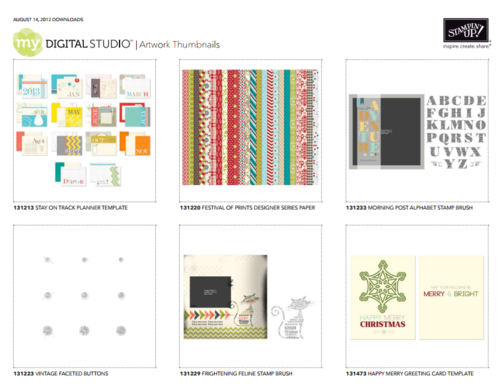
MDS Downloads Aug 15 2012

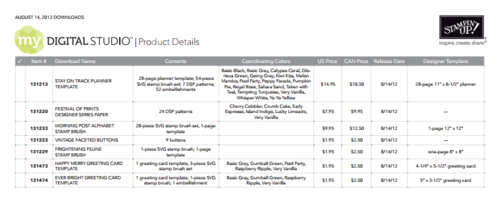
MDS Downloads Aug 15 2012 Prices

Stampin' Up! keeps releasing those great new downloads for your My Digital Studio digital papercrafting program! There's never a minute to get bored with what you have because there is always something new!  If you're not familiar with the My Digital Studio software from Stampin' Up! you'll want to read all about it on this page. And now that Version 2 is out, My Digital Studio is even MORE fun and exciting!  Check out these new downloads HERE.

You can TRY My Digital Studio FREE for 30 days! Learn it, use it, print your projects, whatever you want to do…for 30 days…then you will know if digital papercrafting is for you.  You have nothing to lose and all kinds of fun to gain!  Try My Digital Studio today!

New My Digital Studio Downloads! Interesting Variety!

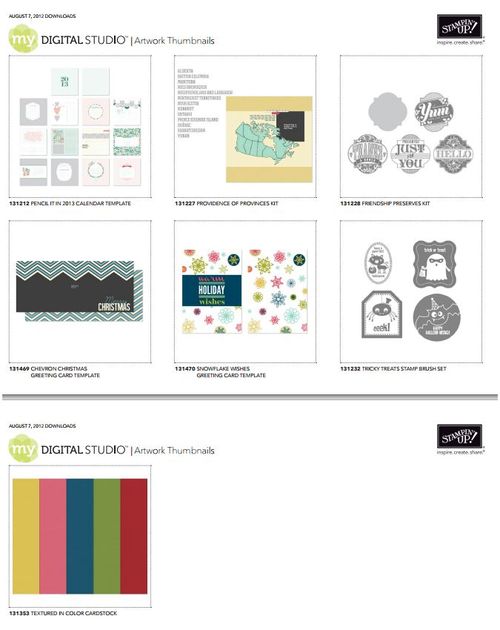
MDS Downloads_Aug 7 2012
Click to Enlarge


Whether you have My Digital Studio, the original version, or have upgraded or purchased the new My Digital Studio Version 2, here are some new downloads that might be the perfect choice for your digital papercrafting project or collection! You can also use these downloads in other design programs if you don't own My Digital Studio.

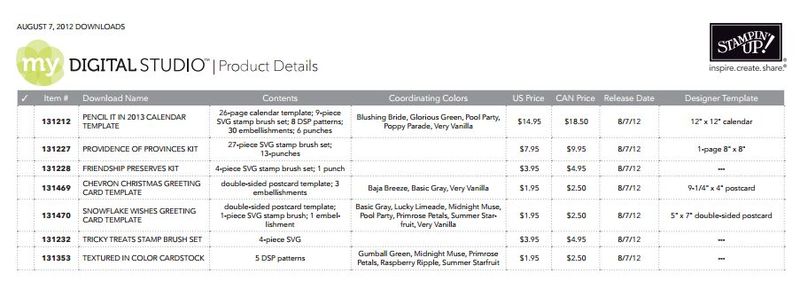
Here are the prices:

MDS Downloads_Aug 7 2012 Prices
Click to Enlarge

You can view and purchase these downloads as well as My Digital Studio in my Online Store.

Last Day for Reason to Smile


Reason to Smile

It's not really the last day to have a reason to smile, just the last day to purchase the Reason to Smile stamp set for only $5 with a $50 purchase! It was fun having a stamp set to buy for only $5!

  • Stampin' Up! has notified us that they are switching the type of liner used in the Snail Adhesive.  It is now tinted blue and thinner that the previous liner so the roll may look like it has less adhesive, but it does have the same amount.
  • Are you on my mailing list??!  Be sure to sign up at the top of the middle column of my blog!  My August newsletter will be coming out next!
  • The Stampin' Up! Holiday Catalog begins tomorrow!!  If you do not have a demonstrator you are working with and would like a Holiday Catalog, please email me. You will certainly LOVE this catalog!
  • The new Version 2 of My Digital Studio is supposed to come out tomorrow! Can't wait!!  If you would like to try first before buying, you will be able to order a free 30-day trial.

Enjoy your last day of July!!  We are one day closer to cooler weather (hopefully!!).

If you want to place a $50 order to get the Reason to Smile Stamp Set for only $5, you can shop until 11:50 MT tonight online!

My Digital Studio Swatchbook for Graduation

Steven UT Graduation 2012

Images copyright Stampin' Up! 2012

One of the many interesting and fun projects you can make with My Digital Studio is called a swatchbook. The swatchbook template is just 5 1/2"x 3 1/4" so it is very cute and has so many uses. It is thirteen actual pages but front and back so you have 26 pages to use.  The upper left corner comes with a rivet to hold it together and there is a plastic cover on the front. You can purchase downloads that have the pages practically all made for you or you can start from scratch on your own.

Here is one example….the Twitterpated Swatchbook Designer Template!

Twitterpated Swatchbook Designer Template - Digital Download

You can go with the template exactly as is or change papers, embellishments, colors to suit your purpose.

Be sure to check out the opportunity to try My Digital Studio Express FREE for 30 days!  And if you purchase My Digital Studio before Version 2 comes out (perhaps soon!) you will get Version 2 FREE.


Make a Digital Scrapbook Page for July 4th in My Digital Studio

4th July-001

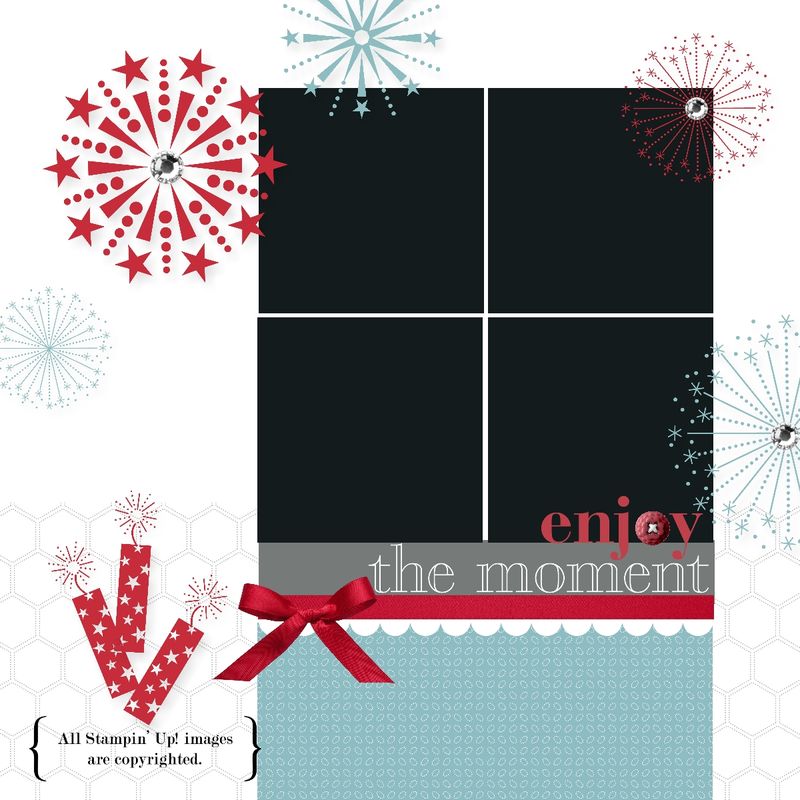
Plan ahead! Make a digital scrapbook page for the 4th of July using My Digital Studio!  Then just insert your photos of your family, neighborhood gathering or fireworks later and you are all set! Add some journaling in the lower area in a text box.

In My Digital Studio you can start with a template….almost any one will do…and then change whatever you want on it.  Even a pre-designed template is completely changeable to your design and needs.  But it does give you a starting point for your page.

Give My Digital Studio Express a try with the 30-Day Free Trial!  It is no risk and no obligation!  Just order it HERE in my Online Store…you'll see the box to click….download it to your computer…and you are ready to play! You can order more downloads as you need them if you want. Print any of your projects.  And if you purchase My Digital Studio now, when Version 2 comes out, you will get to upgrade for free!!

Join My “Stamping With Karen” Newsletter!

Mailbox


If you are reading my blog and enjoy what you see, please sign up for my "Stamping With Karen" email newsletter mailing list! You will see the box in the upper left corner of my blog!  I send out a monthly newsletter full of the latest Stampin' Up! news and many stamping projects, plus another short note around mid-month of reminders or newest updates.

Sign up today so you won't miss another thing!

Father’s Day Scrapbook Page in My Digital Studio

Father's Day Page 2012-001

How about using My Digital Studio to make a Father's Day scrapbook page for photos of Dad and the children?  You can put it in a scrapbook (if you print it out) OR you can print it and frame it!  You most likely can find any size frame these days, particularly one made for scrapbook pages.  Add the photos where you see the black boxes. Or if you prefer, just use this design for a starting point and make it the traditional way with paper, ink and stamps!  Add your embellishments and you have a great Father's Day gift.  Personalize however you like!

For more information on My Digital Studio, click HERE.

It's very easy to either completely design your own page…or do like I did and start with a template in My Digital Studio and change it up how you like it!

Graduation Photography Tips From a Mom

When you have a child graduating as we did this past weekend, it will be a momentous occasion, and if you are the family photographer you will undoubtedly be taking photos to document every second. Perhaps you will want to make a traditional scrapbook for the graduate or even a digital album or swatchbook with My Digital Studio for a quick and easy way to save and share your memories. Check out my graduation photography tips below.

IMG_1897

Here are my photography tips for graduation to ensure you HAVE those photos!

  • Think ahead about taking pictures at graduation, preferably at least a day ahead. Four or five years of college tend to sneak up on you and even with a year's notice you may find yourself unprepared for picture-taking at graduation.
  • Search your battery stash for a package of extra AA batteries, making sure you don't grab AAA batteries.
  • If there is no new package of AA batteries in your battery stash, stop all tasks and go to the store immediately to purchase at least one if not two (and maybe three) packages of batteries. It's really more important than having laundry done or the right pair of shoes packed.
  • Have an extra package of new batteries for your camera easily accessible in your purse before the big event.
  • If no new package of batteries is available in your stash and you don't really stop to think through how important it is to go out and buy new batteries right now, then grab a ziploc bag of loose batteries which perhaps are new ones taken along, but not used, on vacation or something recently. Surely they are brand new and will work.
  • If you suspect that your camera batteries may be close to wearing out during the graduation event, change the batteries in your camera during a boring speech while seated. Do not wait until your camera flashes "Change Your Batteries" during the singing of the school song and moments before the fireworks display to conclude the fabulous graduation ceremony.
  • If you are forced to change batteries in your camera, in the dark, while standing during the grand finale of the whole graduation ceremony, quickly take notice of which ends of the batteries are up and which are down before taking out the old batteries, then quickly insert the new batteries from the ziploc bag trying not to mix up the two groups of batteries.
  • If it turns out these spare batteries were indeed brand new, hooray for you! If not, just the act of changing the batteries will probably make your camera work for a few shots.
  • If after a few shots, these replacement batteries do not work because they weren't actually new batteries after all, quickly remove at least two and rub each end vigorously on your clothes and be assured that you will probably be able to get a few more shots out of this technique.
  • Always keep an extra package of batteries for your camera on hand because you never know when you might have a child graduate from college.  
  • If you are over the age of 30, (and you probably are), during the graduation speeches learn how to find and use the camera function on your cell phone, just in case. Did you know you can take video?? Learn how to slide the thing back for still shots so not everything is video.
  • Hope that someone with a better lens on their camera got a clear shot of your child receiving their diploma on stage because even if every other photo you took is perfect, that one will be blurry and unrecognizable.

IMG_1905

Steven graduation

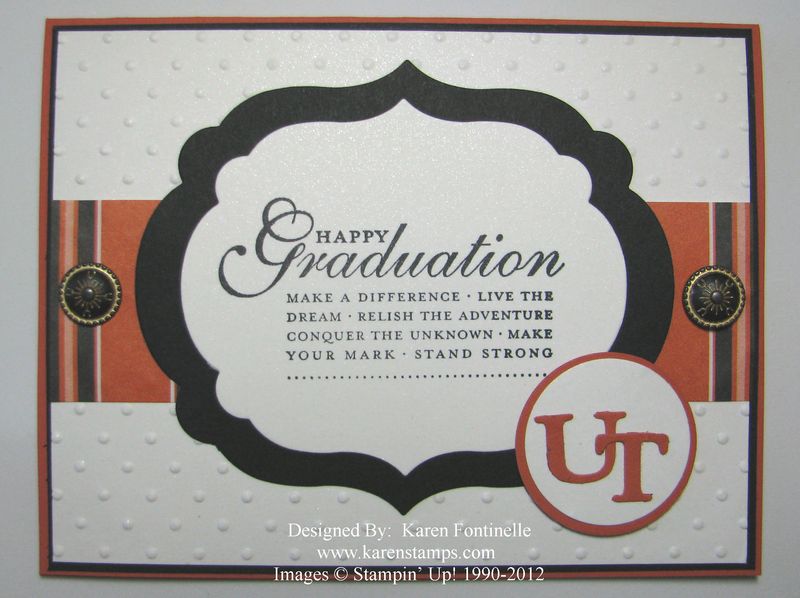
Graduation Framelit Card

Graduation Framelit Card

It certainly is graduation time, and here is one card I made with the Labels Collection Framelits Die. I've been pulling out a lot of retired stamps and paper for just the right things I needed for this graduation project.  This "Happy Graduation" stamp is one of the a la carte ones we had called "Happy Grad".  If you don't own the stamp, you can purchase the download in My Digital Studio and print it out!  I just did that with a few other graduation projects going on with another graduation stamp brush set! The background is embossed with the polka dot embossing folder on the Big Shot, and I also used the Big Shot to cut out the letters.  I love the Antique Brads on this card!  The paper is Shimmery White…perhaps if you click on the photo to enlarge it you will be able to notice the shimmer!  Love that paper!

I hope this gives you some ideas if you are making some cards for those special graduates! If you need any stamping supplies or digital downloads, you can shop at my Online Store HERE!

Summer Smooches My Digital Studio Mother’s Day Card

Summer Smooches My Digital Studio Mother's Day Card

Copyright Stampin' Up! 2012

Believe me when I say you can make a card in  in two minutes!  This card is a template already made up in My Digital Studio, and I just changed what I wanted! This one is from the Summer Smooches collection. I changed the greeting from "Thank You" to the stamp brush that you see here… "wonderful Mother".  I added the three brads on the side and I added rhinestones to the flowers.

If you had My Digital Studio and needed a card in a hurry, even to email, this is how you could make one so easily and quickly!

Have a wonderful Mother's Day!!

A Box From Stampin’ Up!


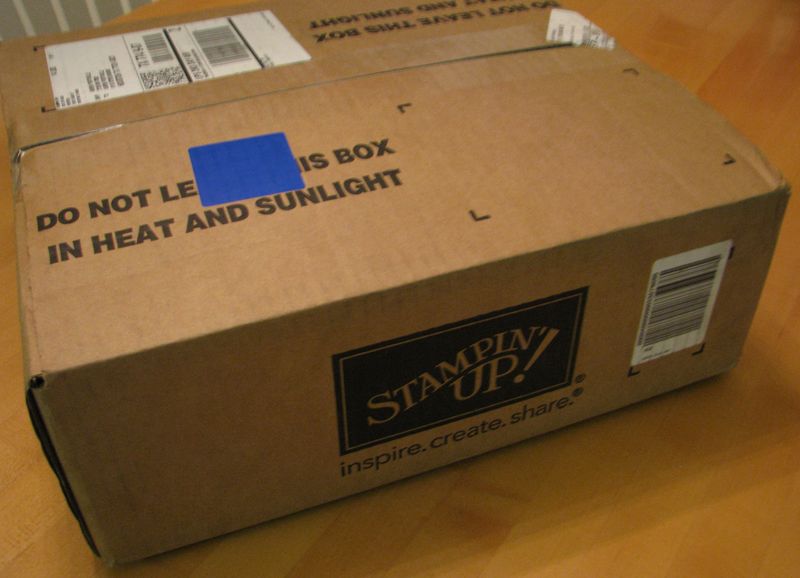
Stampin' Up! Box

I was so excited to get this box from Stampin' Up! Is there really very much that is as exciting as getting a box from Stampin' Up! delivered by UPS??! Especially when it is new catalog season??  I can't really tell you yet what was in my box except to say there was a new Stampin' Up! catalog, a new Celebrando Creatividad Catalog, and a bunch of new paper, ink pads, stamp sets and embellishments!  What fun!!

If you were a Stampin' Up! demonstrator, you might be getting a box like this delivered! There's still time to sign up to be a Stampin' Up! demonstrator, receive your new $99 Starter Kit made "Your Way", AND place a preorder if you wanted to of a few new products coming in the new catalog. Or you could sign up to be a Stampin' Up! demonstrator now and be all settled in and ready to pass out brand-new Stampin' Up! catalogs at your first Stampin' Up! party! You could start up your new business just that easy!

Where else can you start an exciting business of your own for only $99? With the new Stampin' Up! Starter Kit you may choose up to $125 worth of products for only $99, choosing either traditional stamping and scrapbooking products or digital papercrafting.  You will also receive a business supply pack valued at $65 to get your business started off right!

Just click HERE to get more information and then click HERE to sign up online in minutes!