Category Archives: My Digital Studio

New Colors on My Digital Studio!

If you already own My Digital Studio, it's time to get your new colors!  All you have to do is update My Digital Studio to the current version and you get the new digital card stock, ink colors, and Patterns Designer Series Paper FREE! Click HERE to read about it on the Stampin' Up! website.  There have also been new downloads to purchase recently, and you can go to my Online Stampin' Up! Store to see the newest ones and purchase what you would like.

These are the very latest ones:

The latest group of digital downloads for My Digital Studio are now available!

Always Elegant Digital Kit

Wedding Sweet Stamp Brush Set

Paper Daisies Kit

Elegant Soiree Designer Series Paper

Item         Description         Price
119839 Always Elegant Digital Kit $9.95
121431 Wedding Sweet stamp brush set $3.95
121432 Paper Daisies Kit $3.95
121433 Elegant Soireé Designer Series Paper $4.95


There are also new punches available for download including the new Two Step Owl Punch!


If you don't own My Digital Studio, wouldn't you like to get in on the fun?! Watch the video and learn more about it!

Get Good Fireworks Photos for Your Scrapbooking!

IMG_9214 

I just love watching fireworks on July 4th or any time any place, and I'm sure lots of you do too!  I've tried to take photos of fireworks many times, and usually they don't turn out very well. But with my current camera (still a point and shoot) I'm getting closer to getting some good shots of the fireworks. Today, in my email from Photojojo.com, I was directed to some tips for taking good fireworks photos.  They have eleven great tips here. They strongly recommend using a tripod (as in "Bring a tripod, bring a tripod, bring a tripod.") and finding a good location early where you can look straight at the fireworks, not just up.    Some cameras even have a fireworks mode to shoot with (I'll have to check mine!). But you can read the camera-setting details for yourself.

A couple other suggestions I liked were:

  • Being near a body of water is good for the reflection of the fireworks (we usually are by a small lake in a park for our fireworks viewing!).
  • Include some buildings or landmarks which often add to the composition of the photo.
  • Turn your flash off!
  • Turn your camera for a portrait-oriented shot for a rocket's rise and explosion, but to capture multiple explosions, shoot in landscape.
  • Don't forget the best comes at the end…the Grand Finale….so save some space on your memory card for that!

And my own tip……don't forget to take some pictures of the people you are with, not just the fireworks!

And when you are ready to scrapbook those photos, a quick and easy way to do it is with My Digital Studio from Stampin' Up!  You can make an album to print out or a few pages, or a multi-media presentation to share with your friends and family.  Contact me to find out how to order or go to my Online Store.


My Digital Studio World Cup Soccer Card

In honor of the World Cup Soccer game today….USA vs. Ghana…..here's a card made quickly with My Digital Studio!

World Cup Soccer 2010 

I just started with a blank card front and added the letters for "goal" with the Rough Type Alphabet (a newer download), added the "splotches" and crown with the Extreme Elements digital stamp set (LOVE this set, both digital and regular stamps) and added the USA with the Jersey Alphabet (also a newer download).  You can resize each element, change the color, rotate, reposition, whatever you want!

Be sure to watch the video in the link above to get an overview of My Digital Studio!


Using My Digital Studio Digital Ribbon

Yesterday I told you there were new downloads available of pretty digital ribbon for My Digital Studio.  Here is a very quick and easy card I just made on My Digital Studio.  I used one of the designer templates, removed some stitching, added the ribbon and knot, added a button…..done!  So much fun!  You should get My Digital Studio today so you can start having fun too!  You must purchase the software, but after that it is easy to purchase additional downloads that come out from Stampin' Up!  You will have them immediately!  Use Stampin' Up!'s official printer for perfect color matches on your projects or have them printed at the place of your choice….or even on your home printer.

My Digital Studio Ribbon Card 

For more information about My Digital Studio, Stampin' Up! has provided a video for you HERE.


More Digital Ribbon for My Digital Studio!

Stampin' Up! just keeps adding more and more to My Digital Studio!  It certainly keeps this product exciting!

Item         Description         Price
122147    Striped Grosgrain Ribbon $3.95
122148    Narrow Polka Dot Grosgrain Ribbon $3.95
122149    Wide Polka Dot Grosgrain Ribbon $.95

Striped Grosgrain Ribbon - Digital Download - by Stampin' Up!

Narrow Polka Dot Grosgrain Ribbon - Digital Download - by Stampin' Up!

Wide Polka Dot Grosgrain Ribbon - Digital Download - by Stampin' Up!

Can't you just imagine these pretty ribbons on your digital projects?!

Check it out at my online store HERE!  No shipping!


New Summer My Digital Studio Downloads

Check out the new My Digital Studio downloads just in time for the 4th of July!

The latest group of digital downloads for My Digital Studio are now available!

Item     Description     Price
121072 July Fourth stamp brush set $3.95
122146 Round Tab Punch $.95
123174 King of the Grill stamp brush set $3.95

 Go to the Shop Online button in the upper right of my blog and then click the Shop Now button.  On the left, click on Digital Crafting and then Newest Downloads.

Get your 4th of July fireworks digital stamps and bbq grill and be ready for your 4th of July, Father's Day, and summer time scrapbook pages, cards, and other projects!

Using My Digital Studio Travel Journal Digital Kit

Here is a 12×12 scrapbook page I made with the new download for My Digital Studio, Travel Journal Digital Kit #121071.  The photos are from our trip two years ago to Yellowstone National Park.  This is the next day after we arrived.  You pass through Grand Teton National Park on the way to Yellowstone from Jackson Hole, WY.  The whole area is just fabulous, if you're looking for vacation ideas for this summer!  It was still snowy when we arrived in almost the middle of June!

My Digital Studio 12x12 Scrapbook Page Travel Journal

Although I started off with a designer template that didn't look at all like the great outdoors, I changed the background papers to the new ones in the Travel Journal Digital Kit.  The compass is also included in that kit.  I added the journaling element from another designer kit and placed a text box over that so I could write about our hike that day.

If you want to easily scrap your vacation pictures this summer, check out My Digital Studio.  You can load it on your laptop and do a page a night while on vacation!  Just order HERE!

My Digital Studio….New Downloads for Father’s Day and Travel

Two new digital downloads from Stampin' Up! for My Digital Studio! Just in time for summer……Father's Day and travel!

 Travel Journal Digital Kit - Digital Download - by Stampin' Up!

Copyright Stampin' Up! 2010

                                             121071 Travel Journal Digital Kit     $9.95
                                Fathers Day Stamp Brush Set - Digital Download - by Stampin' Up!
                               Copyright Stampin' Up! 2010

              121070  Father's Day stamp brush set     $5.95

Won't these make great cards and scrapbook pages and whatever else you can think of!

Shop Online HERE and download your images right away!  Just click on "Newest Downloads".


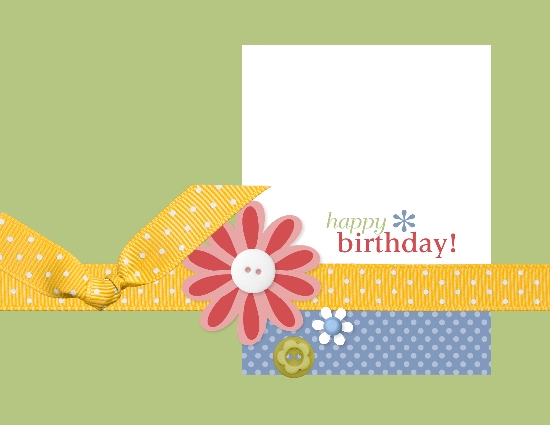
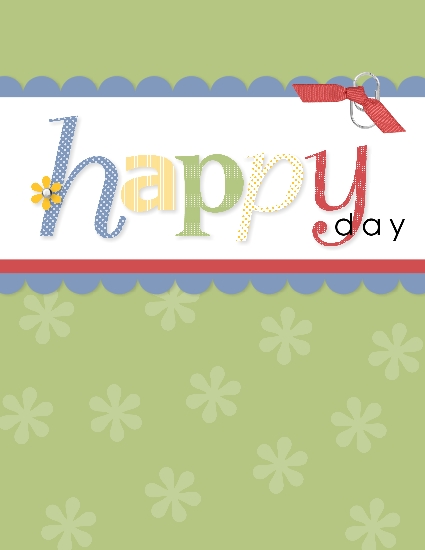
My Digital Studio Birthday Card…Happy Birthday to My Girl!

When you need to make an easy birthday card to either print out yourself or send via email to someone, there is no better way than with My Digital Studio!  There are templates to use as is, or you can modify all you want. Here is one I made today for my daughter's birthday!  You also make the inside pages however you like, which really adds value because you can color the pages, add digital embellishments, photos, write your own message, anything you want.  When can you usually buy a card with a fancy inside?!

My Digital Studio Birthday Card
The front page of the card, no modifications.

My Digital Studio Inside Card
Inside the front page……I just made the background the same Certainly Celery color and copied and pasted the little flowers.

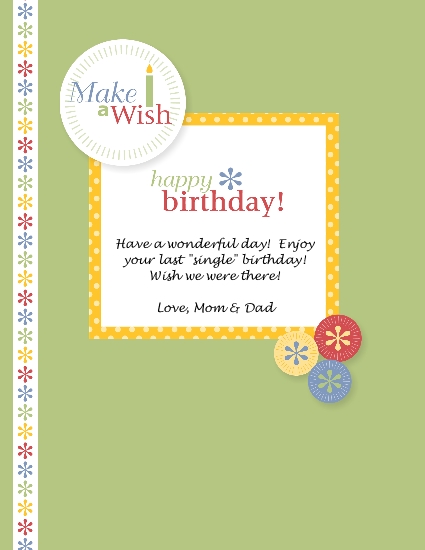
My Digital Studio Birthday Card Inside 

Second inside page….made the background Certainly Celery and then had to play around!  I added an "element" from the designer template (the yellow frame), added another element (the birthday words), added the "Make a Wish" element, added a border to the left side (several to choose from) and added the little "buttons" as well.  And for the message I just added a Text Box and could write whatever I wanted in whatever font and size I had on my computer!

There is so much you can do with My Digital Studio!  Sometimes you have to know when to stop, though!!

Let me know if you want more information on My Digital Studio.


Happy Memorial Day!

Memorial Day Card from My Digital Studio 

I made this card using My Digital Studio, starting with a Designer Template but changing the colors and adding a few elements!  Easy and fun!

Hope you all have a happy and safe Memorial Day!

Do you have your flag flying today in honor of the men and women who died while serving in the United States military??


National Scrapbooking Month Special—Ends May 31, 2010

Is it really the end of May already??!  What a fast month and so much going on for so many people with graduations, end of the school year, etc.  I just wanted to send one more reminder of the Stampin' Up! promotion going on today and tomorrow:

Take your scrapbooking to a whole new level with Stampin’ Up!

During National Scrapbooking Month, get a FREE package of Designer brads with the purchase of My Digital Studio (item 118108) or any of the following stamp sets:

Page

Description

Wood-
Mount
Item
Wood-
Mount

Price
Clear-
Mount
Item
Clear-
Mount
Price
81 Extreme Elements 115181 $26.95
119 Framed with Love** 114389 $27.95
128 Certified** 113706 $27.95
129 Circle Circus 115778 $28.95
12* Elements of Style 118611 $27.95 120045 $19.95
13* Momentos 119910 $27.95 120105 $19.95
13* Éléments de style 119900 $27.95 120099 $19.95
14* Rough Type 118659 $26.95 120072 $18.95
22* Sentimental Journey 118513 $23.95 120075 $17.95
25* First Day 118521 $23.95 120051 $17.95
25* Camino a la Escuela 120152 $23.95 120154 $17.95

*From the Summer Mini Catalog
**A Last Chance stamp set!

Choose from the following Designer brads with qualifying purchase:

Page

Description

Item
179

Flower Designer brads

112579
179

Filigree Designer brads

112577
179

Circle Designer brads

112571
179

Star Designer brads

112572

View the flyer for more information and some great scrapbooking ideas. 

Notice that the sets with the double asterisk are sets that are going on the retirement list on June 1st.

If you want to purchase any of these sets just go to my Online Store and watch the video if you'd like or click on the "Shop Now" button and go straight to the store.  You can set up your Customer Account and you're ready to go!  Or email me your order and I'll take care of it for you.  Once your merchandise is entered, you can choose your free brads for each stamp set on the list!

Don't forget, this offer ends tomorrow!!

Stampin’ Up! My Digital Studio Introductory Video by Mark Jessen

Stampin' Up! has just released this video with Mark Jessen, a Stampin' Up! Trainer, to give you an overview of how to use My Digital Studio. Whether you are wondering about it or want to learn a little bit about how to use it, this video is a good one. Mark taught all of us demos who signed up for the Stampin' Up! My Digital Studio Certification program so we would be able to help our customers. 

I'm sure you will enjoy this video.  It's just an introduction, but it will give you an idea of how My Digital Studio works.  If you already own a good digital program, you can purchase the Stampin' Up! downloads without the software to add to your own program.  Watch the video and email me with any questions. To purchase My Digital Studio or any of the downloads (and new ones are being added often!!), just Shop Online HERE.

My Digital Studio….New Digital Downloads Available!

Just in time for graduation!  Stampin' Up! just released this new graduation stamp brush set for My Digital Studio called "Go Graduate Plus"!  Plus two alphabets!  If you already own My Digital Studio, great!  If you own other digital scrapbooking software, you can use these Stampin' Up! downloads.  If you own neither, it's time to buy the My Digital Studio software!  You'll be glad you did!  We're all having so much fun learning to use it, exploring all the options and elements included, and just playing around when working on our projects!  In some cases, you can use a template, just insert your photos, and you're done in minutes!

If you are interested in purchasing "My Digital Studio" or any of the extra downloads including these newest ones, please click on the Shop Online button in the upper right corner to go to my Stampin' Up! store.


Item         Description         Price
121069    Go Graduate Plus stamp brush set $5.95
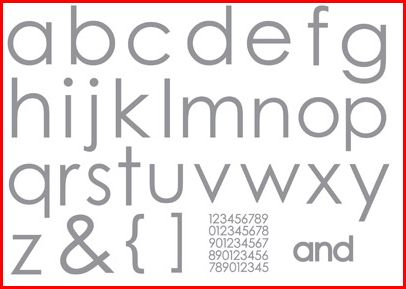
122143    Jumbo Outline Alphabet stamp brush set $9.95
122145    Contempo Alphabet stamp brush set    $9.95


                All images copyright Stampin' Up! 1990-2010.

HappyGradDigi

Contempodigi
Contempo Alphabet

Jumbo Outline Alphabet Stamp Set - by Stampin' Up!

Jumbo Outline Alphabet